
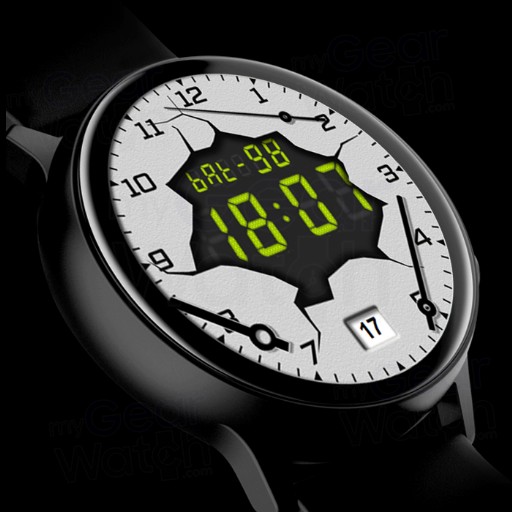
BWR (Arrows? No - numbers)
1.0.0
- S2
- S3
- Sport
- Galaxy
paid
View watchface in Samsung Store Send Link
Dial functionality
- Three options for the substrate, which are switched using a double tap on the screen:
Light background with broken arrows
Light substrate without arrows
Dark background without arrows
- Display current date
- Display battery power. Due to the nature of the dial, the full charge of the battery (100%) is displayed as two English letters “F”
- 5 tap zones, one of which allows the user to customize the called application. In the screenshot, this zone is indicated by the number 1. Double tap allows you to open the clock menu and put the application that will be called up using a single tap on this zone. You can configure, for example, calling a weather widget, or calling S-Health, or setting a heart rate measurement. Customize as you wish.
- Supported AOD modes for Gear S2, Gear S3, Gear Watch and Gear Watch Active
Tags
- Digital
- 24hr
Categories
Sorry, no categories have been selected.