
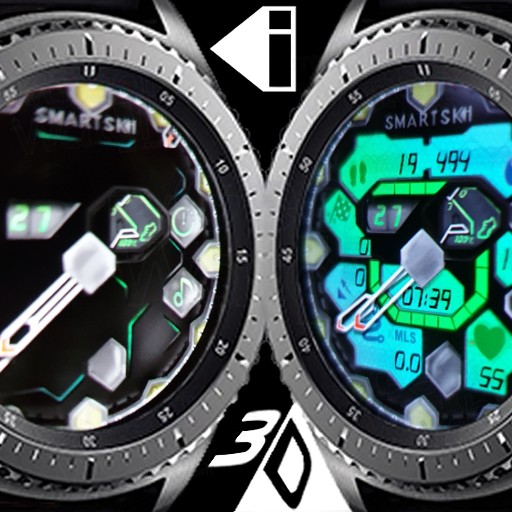
Hybrid Honeycomb Black
1.0.2
- S2
- S3
- Sport
- Galaxy
paid
View watchface in Samsung Store Send Link
With two taps to it's centre this classy looking watch face for dining turns into a watch face for training.
The 3D animated Hybrid Honeycomb Black watch face is designed to easily switch from one mode to the other, no messing when you need to instantly throw off your office jacket and run. Classic mode also saves on battery usage.
12hr/24hr sync with phone settings.
Distance Km/Mile sync with watch SHealth settings.
floors doesn't display on S2.
10 index colours.
24 background colours.
Charging indicator.
Red warning light from 10% and under.
4 app assignment locations. double tap locations to change assigned app.
10 shortcuts.
3D.
Gyro tilt glares, shines and reflections.
Classic mode:
Analogue style, double tap centre to change to sport mode.
Month, tap shortcut to calendar.
battery %, tap shortcut to battery usage.
steps %.
Timer button, tap for shortcut
Music button, tap for shortcut
Sport mode:
All of the above.
Digital time 12/24 with seconds, tap for Alarm shortcut.
Clearer battery display.
Steps taken, tap for shortcut.
Steps goal, tap for shortcut.
floors, tap for shortcut.
Heart rate, tap for shortcut.
Distance in Km/Miles, tap to assign app.
Tags
- Hybrid
- clasic
- honeycomb
- smartski
Categories
Sorry, no categories have been selected.